
8 Ball Pool PC vs Mobile (2026): Which Platform Is Better?
Quick answer: For most players, the mobile app is the better way to play 8 Ball Pool. Miniclip itself says the best experience is on mobile, and some key features, like the Pool Pass and Pro Membership, are only available in the mobile versions. If you want a bigger screen and mouse controls, run the mobile app on your PC with an Android emulator. The web version in your browser is fine for quick casual games, but it’s a separate version with fewer features.
Most “PC vs mobile” guides miss one important point: “8 Ball Pool on PC“ can mean two very different things. Playing in a web browser gives you Miniclip’s web version. Playing through an emulator gives you the full mobile game on a computer screen. Which one you choose changes almost everything about the comparison.
In this guide, we compare all three options – mobile, web and emulator – so you can pick the one that fits how you play.
3 Ways to Play 8 Ball Pool in 2026
There are three main ways to play 8 Ball Pool today, and they are not equal. Here’s what each one actually is.
1. Mobile app (Android and iOS)
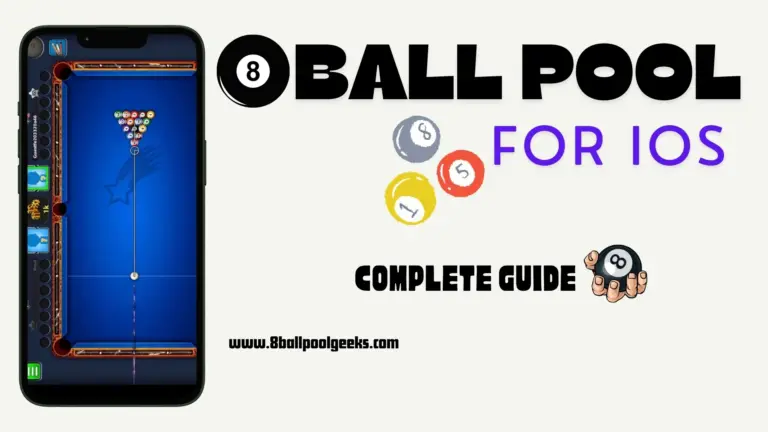
This is the main version of the game, downloaded from Google Play or the App Store. Miniclip has made mobile its focus, and in 2022 it moved away from web games, keeping only 8 Ball Pool and Agar.io on Miniclip.com. New features, events and the Pool Pass arrive here first.
2. Web version (in your browser)
You can still play 8 Ball Pool directly in a browser on Miniclip.com, with no download. It’s quick and works on almost any computer. But Miniclip clearly says the web and mobile versions are different, and the web version doesn’t include everything the mobile app has.
3. Android emulator on PC (BlueStacks, MEmu and others)
An Android emulator is a program that runs Android apps on Windows or Mac. When you install 8 Ball Pool inside an emulator, you’re playing the mobile app, just on a bigger screen with a mouse. That means you get the mobile features, not the web version’s limits.

Bonus: LG Smart TVs
Since October 2026, 8 Ball Pool is also available on LG Smart TVs running webOS 6.0 (2021 models) or newer. You aim, set power and shoot with the LG Magic Remote, and there’s an exclusive Couch Play Mode that lets two people play 1-on-1 on the same screen. It’s a fun option for casual games at home, but it’s not a replacement for the full mobile app.
8 Ball Pool PC vs Mobile: Full Comparison
The biggest differences aren’t graphics or speed. They are which features you get and who you can play against. This table shows all three options side by side.
| Feature | Mobile app | Web version (browser) | Emulator on PC |
|---|---|---|---|
| Which game version | Full mobile version | Separate web version | Full mobile version |
| Pool Pass and Pro Membership | Yes | No | Yes (it runs the mobile app) |
| Play with friends on mobile | Yes | No | Yes |
| Controls | Touchscreen | Mouse | Mouse, plus optional key mapping |
| Screen size | Phone or tablet | Monitor | Monitor |
| Setup needed | Install the app | None, just log in | Install emulator, then the app |
| Play anywhere | Yes | Needs a computer | Needs a computer |
| Hardware demand | Depends on your phone | Very light | Heavier – emulator needs RAM and CPU |
| Best for | Most players | Quick casual games at work or school | Competitive players who want precise aim |
Bottom line: The mobile app and the emulator give you the same full game. The web version is the only one with real limits, so “PC vs mobile” is really a question of screen and controls if you use an emulator, and a question of features if you use the browser.
Playing on Mobile: Pros and Cons

Mobile is where 8 Ball Pool is built to be played, and it’s the only option you can take anywhere.
Pros
- You get every feature, including the Pool Pass, Pro Membership, events and minigames.
- You can challenge friends and play anyone in the main player base.
- You can play short matches anywhere with an internet connection.
- Practice offline mode lets you work on shots without risking coins.
Cons
- A small screen makes long, thin cut shots harder to judge.
- Touch aiming is less precise than a mouse, especially on fine adjustments.
- Older or low-end phones can lag, and a lagging match can cost you coins.
Settings that make mobile play easier
Before you blame the touchscreen, check the game’s Settings menu. Miniclip lets you adjust a few options that make a real difference:
- Cue sensitivity: Lower it if your aim line jumps too much when you drag.
- Aiming wheel: Turn it on to make tiny aim adjustments with your thumb instead of dragging the whole cue.
- Power bar location: Move it to the side that feels natural for your hand.
Playing on a tablet also helps a lot. You keep all the mobile features but get a much bigger table.
Playing in a Web Browser: What You Get and What You Miss
The web version is the fastest way to play on a computer, but it comes with limits that most guides don’t mention.
What you get
- No download or installation – open Miniclip.com and play.
- Mouse aiming, which many players find more accurate than touch.
- A big screen, even on an old or low-power laptop.
What you miss
- Pool Pass and Pro Membership. Miniclip says these are only available in the mobile versions.
- Matches with mobile friends. Players on the web version can’t play against friends who are using the mobile version.
- The “main” game experience. Miniclip itself describes mobile as the best place to play, and it’s where the company focuses its updates.
Because Miniclip treats web and mobile as different versions, don’t assume your mobile setup will feel the same in the browser. If you want your mobile account and all its features on a computer, an emulator is the better route.
Playing on PC With an Emulator: The Best of Both
An emulator gives you the full mobile game with PC controls, which is why it’s the best choice for most players who want to play on a computer.
Why it works so well
- Same game as on your phone. You install the official 8 Ball Pool app from the Google Play Store inside the emulator, so you get the Pool Pass, Pro Membership and every mobile feature.
- Mouse precision. Fine aim adjustments are easier with a mouse than with a thumb, which helps on thin cuts and long banks.
- Bigger table. A monitor makes it much easier to see angles and plan position.
- Key mapping. Most emulators let you map keys to common actions, which can speed up menus.
What to watch out for
- Your PC needs some power. Emulators use more RAM and CPU than a browser game. Check the emulator’s official system requirements before installing.
- Use the right login. Inside an emulator, the game sees an Android device. Miniclip says Google login works only on Android, and Apple login works only on Apple devices. If your account is linked only to Apple (from an iPhone), link it to Facebook too before you switch, or you won’t be able to log in on the emulator.
- Download only from official sources. Get the emulator from its own website and the game from the Play Store inside it. Never install a “pre-loaded” or modded 8 Ball Pool file.
- Stay away from macros and aim scripts. Running the official app on an emulator is one thing. Using auto-aim tools, scripts, or cheat programs is cheating and can get your account banned.
For step-by-step setup, see our 8 Ball Pool for PC guide.
Which Platform Should You Choose?
The right choice depends on how and where you play. Find yourself in the table below.
| If you… | Best choice | Why |
|---|---|---|
| Play a few quick matches a day | Mobile app | Play anywhere, all features included |
| Want to win more in high-stakes rooms | Emulator on PC | Full game plus mouse precision and a big screen |
| Have a Pool Pass or Pro Membership | Mobile app or emulator | These features don’t exist on the web version |
| Mostly play with friends on their phones | Mobile app or emulator | Web players can’t challenge mobile friends |
| Have an old or slow laptop | Web version | Runs in any browser, no install |
| Just want a casual game at work or school | Web version | Fast to open, nothing to set up |
| Want to play with family on the sofa | LG Smart TV (if you have one) | Couch Play Mode for two players on one screen |
A common setup among serious players is to use both: the phone for quick games on the go, and an emulator at home for long sessions in expensive rooms. Because both run the mobile app, you can use the same account on each with the same linked login (Facebook or Google if you play on Android).
FAQs – 8 Ball Pool PC vs Mobile


Final Words
The real answer to “8 Ball Pool PC vs mobile” is that the mobile app wins on features, and an emulator lets you bring that same app to your PC. Choose the mobile app if you play on the go, an emulator if you want mouse precision and a big screen, and the web version only for quick casual games.
Whichever you pick, link your account to Facebook or Google so your progress is safe, and stick to the official app. Your cue collection and coins are worth protecting.