8 Ball Pool for iOS (2026): How to Download and Play on iPhone and iPad
Quick answer: 8 Ball Pool is free on the App Store for iPhone and iPad. Search for “8 Ball Pool”, check that the seller is Miniclip SA, and tap Get. You need iOS or iPadOS 13.0 or later, and about 233 MB of free space for the download.
This guide covers everything iPhone and iPad players need: how to install the game, the real requirements, how to link your account so your progress is safe, the best settings for a touchscreen, tips to win more, fixes for common problems, and what parents should know about in-app purchases.
Playing on a computer instead? See our 8 Ball Pool for PC guide.
How to Download 8 Ball Pool on iPhone and iPad
The only official way to get 8 Ball Pool on iOS is through Apple’s App Store. It takes about a minute.
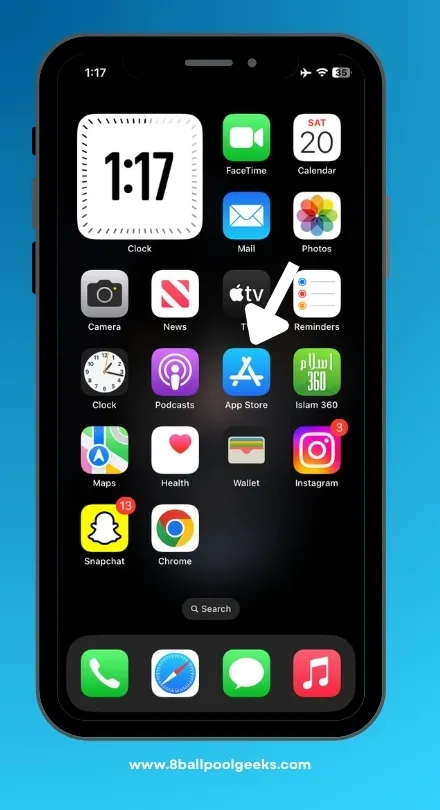
Open the App Store on your iPhone or iPad and make sure you’re signed in with your Apple ID.
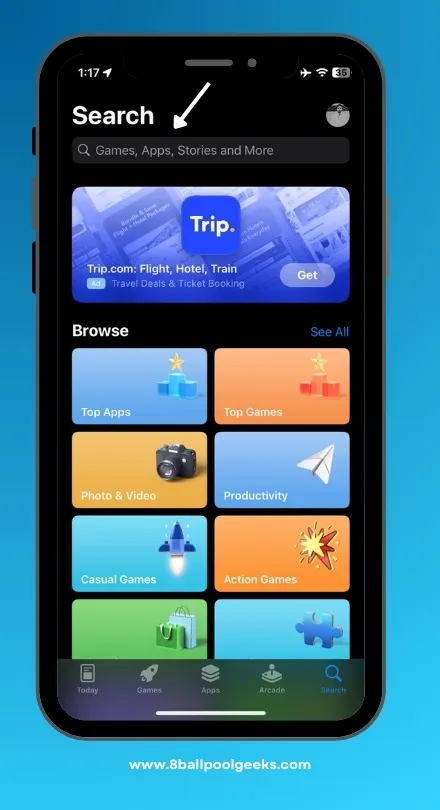
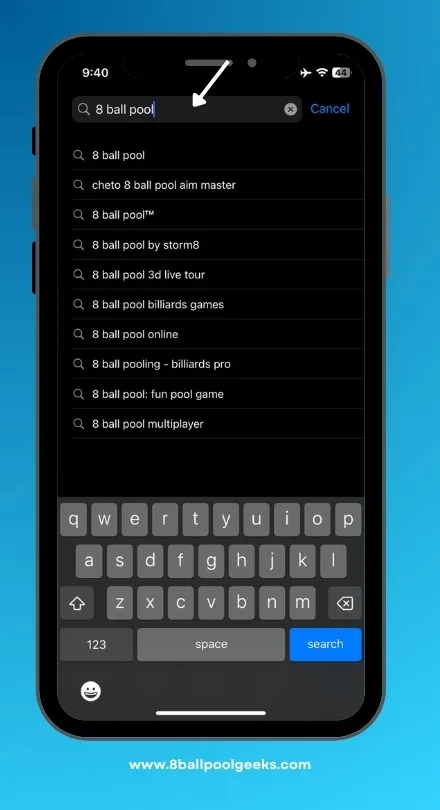
Tap Search at the bottom and type 8 Ball Pool.
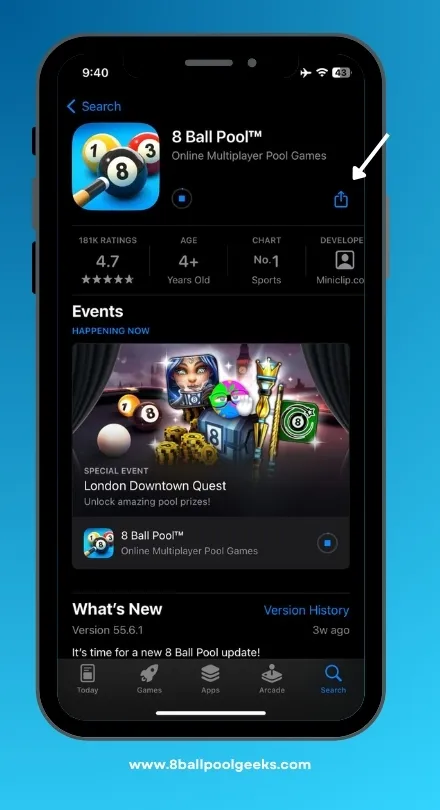
Find the right app. Look for “8 Ball Pool™” by Miniclip. Many look-alike pool games use similar names and icons, so check the developer before you tap.
Tap Get, then confirm with Face ID, Touch ID or your Apple ID password.
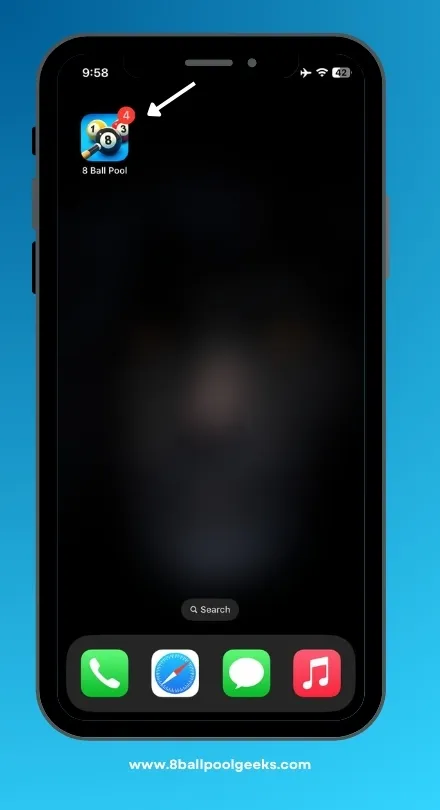
Open the game once it finishes installing, and accept or adjust the permissions it asks for.
Link your account in the game’s Settings straight away so your progress is saved (see the account section below).
Updates arrive through the App Store, just like any other app. Turn on automatic updates (Settings → App Store → App Updates) so you’re never stuck on an old version when a new season starts.
You can also download 8 Ball Pool MOD APK to get long lines, an anti-ban 8 Ball Pool hack from our website that is 100% safe and tested on Android.
8 Ball Pool iOS Requirements
These are the requirements listed on the official App Store page.
| Requirement | Details |
|---|---|
| iPhone | iOS 13.0 or later |
| iPad | iPadOS 13.0 or later |
| iPod touch | iOS 13.0 or later |
| Download size | About 233 MB (leave extra space for updates) |
| Internet | Required – the game is played online |
| Price | Free, with optional in-app purchases |
| Seller | Miniclip SA |
Will it run on my old iPhone? iOS 13 is the minimum, so iPhones that can’t update past iOS 12, such as the iPhone 5s and iPhone 6, can’t install the current version. The iPhone 6s, iPhone SE (1st generation) and every newer model meet the requirement.
Storage tip: Regular season updates add new tables, cues and events, so the game grows over time. If your iPhone is nearly full, free up a little more than the download size to avoid failed updates.
Link Your Account: Apple vs Facebook
you play as a guest, your progress lives only on that one device. Miniclip warns that if you lose, reset or replace your iPhone, a guest account’s level, coins, cues, and purchases can’t be recovered. Linking takes a few seconds.
How to link: Tap the cog icon to open Settings, choose your login option, and sign in. On iPhone and iPad, you can link Apple or Facebook.
| Login | Works on iPhone/iPad | Works on Android / PC emulator | Best for |
|---|---|---|---|
| Apple | Yes | No | Players who only use Apple devices |
| Yes | Yes | Players who might switch to Android or play on PC |
Miniclip notes that Apple sign-in is only available on Apple devices, and Google sign-in only on Android. So if there’s any chance you’ll move to an Android phone or play on a PC emulator later, link Facebook as well as Apple. Facebook also unlocks in-game chat and gifts with Facebook friends.
To check your current status, open Settings and look at the Account section. If no login is listed, you’re still a guest.
Best Settings for iPhone and iPad
A few small changes make touch aiming far more accurate. Start with the game’s own Settings menu (the cog icon), which Miniclip recommends every new player checks.
In-game settings
- Cue sensitivity: If the aim line jumps when you drag, lower the sensitivity. Smaller movements then give finer control on thin cuts.
- Aiming wheel: Turn it on. It lets you make tiny aim adjustments by rolling a wheel instead of dragging the whole cue, which is the single biggest accuracy upgrade on a phone.
- Power bar location: Move it to the side that suits your hand, so your thumb isn’t covering the table while you set power.
iPhone settings
- Focus / Do Not Disturb: Turn it on before high-stakes matches so a call or notification banner doesn’t interrupt your shot.
- Low Power Mode: Turn it off while playing if your phone feels slow, since it can reduce performance.
- Stable connection: Use Wi-Fi when you can. A dropped connection mid-match can cost you the game.
iPad players: The bigger screen makes angles much easier to read. If you play seriously, an iPad is the closest you’ll get to the PC experience while keeping every mobile feature.
Tips to Win More on iPhone
These tips are aimed at the way pool plays on a small touchscreen.
- Plan the next shot first. Before every shot, take a second to look at where the cue ball should stop next. Most lost games come from bad position, not missed pots.
- Use the aiming wheel for the last nudge. Drag to get close, then fine-tune with the wheel. Dragging alone is rarely precise enough on long shots.
- Don’t over-hit. On a phone, it’s easy to pull the power bar all the way down. Medium power keeps the cue ball under control and gives better position.
- Learn three spins first. Topspin to follow through, backspin to draw the cue ball back, and centre ball to stop it. Add side spin once those feel natural.
- Practise offline before risking coins. Practice mode is free and has no pressure, so use it to learn angles and spin.
- Play rooms you can afford. Keep enough coins to lose several times in a row. Jumping to big rooms too early is the fastest way to go broke.
- Take safety shots. If there’s no clear pot, leave the cue ball somewhere awkward for your opponent instead of forcing a risky shot.
- Collect free rewards daily. Check the free rewards menu and daily missions every day for extra coins and cash.
Want to know which cue to aim for? See our best cues in 8 Ball Pool guide.
Common iPhone Problems and Fixes
Most issues on iOS can be fixed in a minute. Before you try anything drastic like deleting the app, make sure your account is linked, or you could lose your progress.
| Problem | What to try |
|---|---|
| The new update isn’t showing | Open the App Store, tap your profile picture, and pull down on the screen to refresh the updates list |
| Game crashes or freezes | Close the app fully, restart your iPhone, and install any pending iOS and game updates |
| “Not enough storage” when updating | Delete unused apps or old videos, then try again; offloading other apps also works |
| Lag during matches | Switch to stable Wi-Fi, turn off Low Power Mode, and close other apps |
| Can’t log in with Apple | Check you’re signed in to the same Apple ID you linked, then try again from the game’s Settings |
| Lost progress on a new iPhone | Log in with the same Apple or Facebook account you linked on the old phone |
| Paid for something but didn’t receive it | Contact Miniclip support from inside the game and include your user ID and receipt |
If you were playing as a guest and lost your device, Miniclip says guest progress can’t be recovered. That’s why linking your account is the most important step in this guide.
For Parents: Is 8 Ball Pool Safe for Kids on iPhone?
8 Ball Pool is a simple pool game with no violence, but there are a few things parents should know before handing over an iPhone.
- It has in-app purchases and loot boxes. The App Store lists the game as containing loot boxes and advertising. Players can buy coins, cash, cue packs, the Pool Pass and memberships with real money, and some boxes give random items.
- It’s played online with strangers. Matches are against real players, and there’s in-game chat with Facebook friends and club members.
- Age rating varies by country. Check the age rating shown on the App Store in your region before downloading.
How to block in-app purchases on iPhone
Apple lets you turn off in-app purchases with Screen Time:
- Open Settings and tap Screen Time (turn it on if you haven’t already).
- Tap Content & Privacy Restrictions and switch it on.
- Tap iTunes & App Store Purchases.
- Tap In-app Purchases and choose Don’t Allow.
Set a Screen Time passcode your child doesn’t know, so the setting stays in place. If your family uses Family Sharing, you can also turn on Ask to Buy so purchase requests come to you for approval.
How to download and install 8 ball pool for iOS
Follow these easy steps to install the 8 Ball Pool for iOS.
- Open the App Store on your mobile device and make sure your Apple ID is logged in.
- Type 8 ball pool in the search box in the App Store.
- Tap on 8 Ball Pool and click the Get Button to start the installation of the app.
- BOOM! Now you can play the game on your iOS device.
- Also, read the guide on 8 Ball Pool for PC.
FAQs – 8 Ball Pool for iOS

Final Words
Getting 8 Ball Pool on iPhone or iPad is easy: download it free from the App Store, make sure you’re on iOS 13 or later, and link your account straight away so your progress is safe. From there, turn on the aiming wheel, lower the cue sensitivity if your aim feels jumpy, and practise a few racks offline before you play for coins.
Stick to the official app from Miniclip, and you’ll get every update, event and season without risking your account. If you ever want a bigger screen, our PC guide shows how to bring the same game to your computer.